
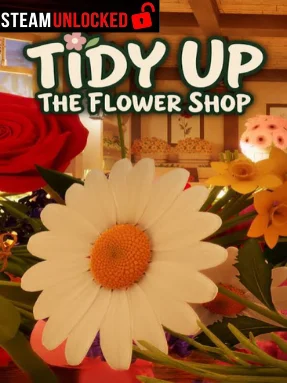
Your niece was honestly just trying to help. She had a spare key, saw that your huge flower delivery had arrived, and decided to unpack everything for you. The only problem is that tomorrow is opening day, and now basically every flower you ordered is scattered all over the shop floor. Luckily, you know where everything belongs, so it’s time to clean up and get the shop ready.
The gameplay is super simple and relaxing. You pick up flowers until your arms are full, switch between what you’re carrying, and figure out which basket needs each type of flower. Every basket is made for a specific kind of flower, and it lets you know once you’ve filled it up. There’s no crazy pressure or complicated system, so you can just take your time and organize everything.
You can also customize every basket by painting it however you want. Pick one color or mix several together, create stripes, alternate colors around the edges, or just throw colors together and see what looks good. By the time you’re finished, the flower shop actually feels like something you created yourself instead of a place that was already set up for you.
There’s no score, no upgrades to grind for, and nobody rushing you to finish. You can stop whenever you want and come back later to the exact same mess waiting for you. With full controller support and a super chill gameplay loop, it’s basically the kind of game you can play when you just want to relax and organize some flowers.

0 Comments